
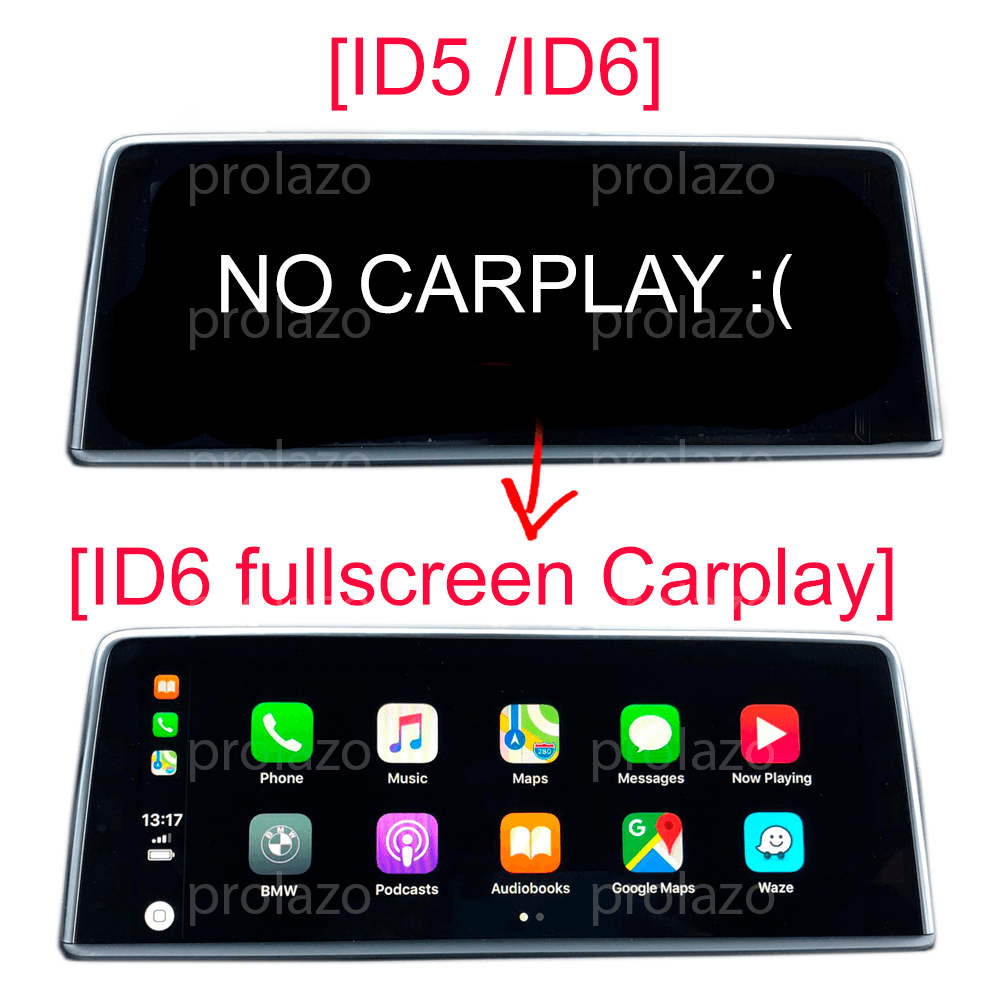
Carplay
Carplay activation for BMW MINI SUPRA headunits
ID 650
€24.99 – €250
Unlock Full-Screen Apple CarPlay for BMW, MINI & Supra EVO Headunits
1. Is My BMW, MINI, or Supra Compatible?
IMPORTANT!
PLEASE CHECK IF YOUR CAR SUPPORTS THIS PRODUCT FIRST
Let's do it together!
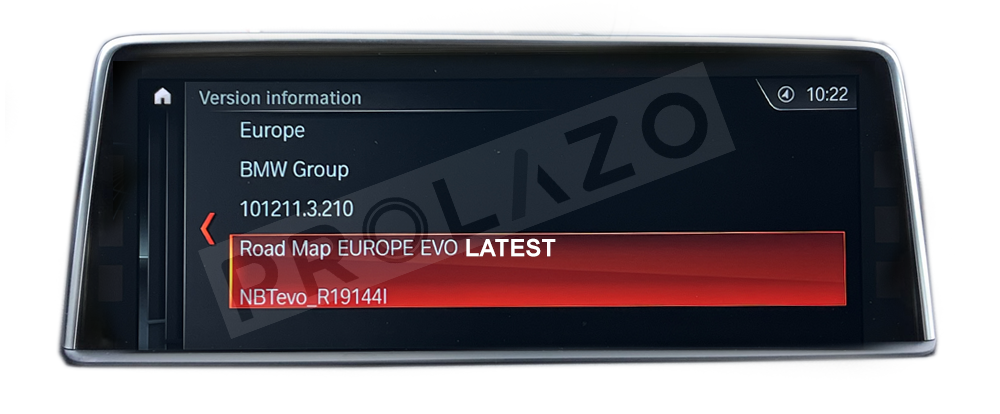
CHECK YOUR MAP VERSION:
On your iDrive, go to
Navigation> Settings > Position and software version > Software version
and check your version NBTEVO_Xxxxxx

In this example version is NBTEVO_R. Great, we know your version, so will Carplay work and how?
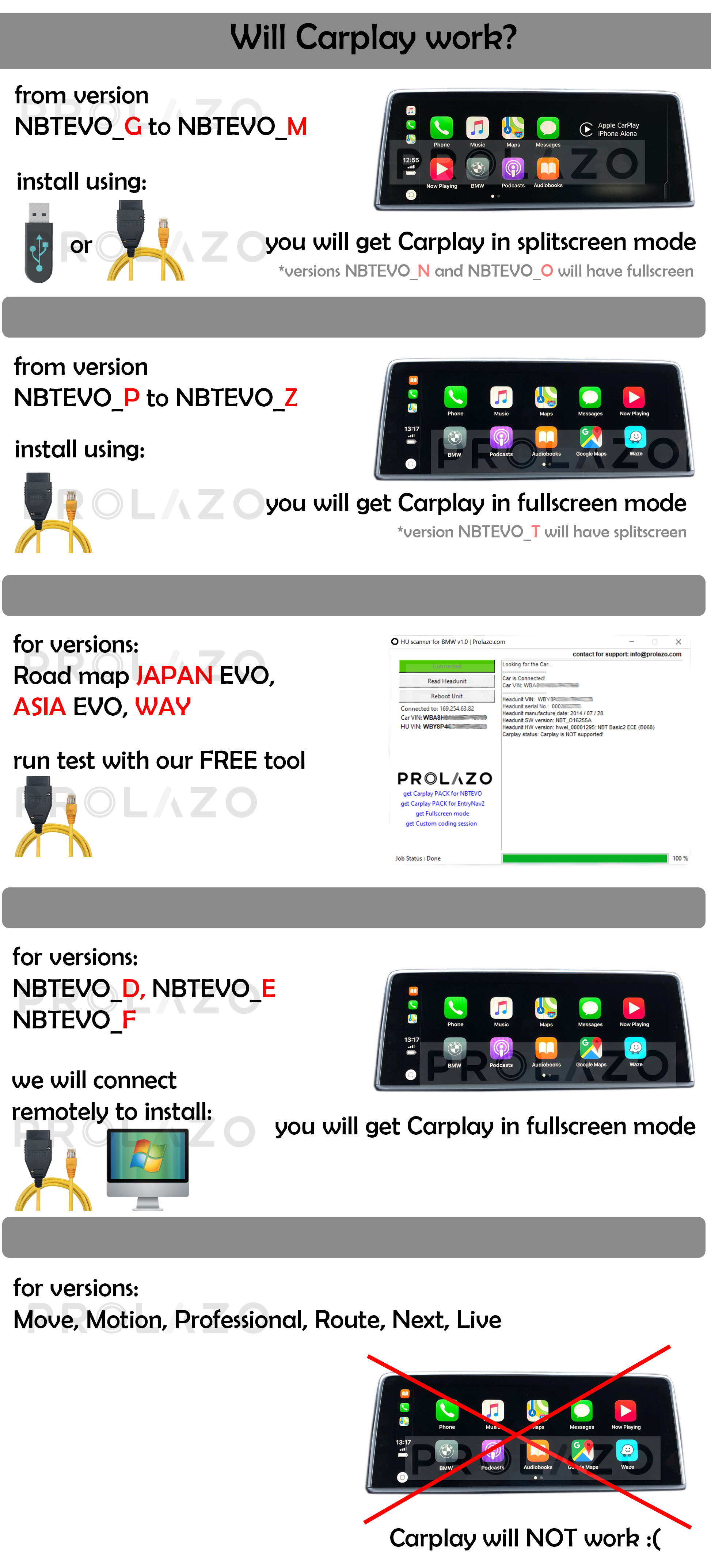
* for MINI s please note that only versions NBTevo_V, NBTevo_W, NBTevo_X, NBTevo_Y, NBTevo_Z support FULLSCREEN mode.
2. What Your Digital Upgrade Includes
You will get CARPLAY (LIFETIME, latest iOS ready) for iphones only
and Android SCREEN-MIRRORING (MIRACAST) for android phones only
This is Worldwide version, so it will work on any region:
Argentina, Australia / New Zealand, China/ Hong Kong/ Macau, Europe, India, Israel, Japan, Korea, Middle East, North Africa, North America, Russia, South Africa, South America, Southeast Asia, Taiwan, Turkey, etc.
-
3. Simple Installation: USB or ENET Cable Method
You will get digital files and PDF instructions on how to enable Carplay yourself, based on your version. We made it super easy, promise.
Use your USB stick or ENET cable for installation.
BMW Carplay works via WIFI only, so it REQUIRES a WIFI ANTENNA, make sure your car is equipped with one.
If you are not sure, send us your car's full VIN code / chassis number (you can find it on the car windshield or in the car documents).
You can buy a WIFI antenna on eBay or Amazon, look for "BMW FAKRA WIFI antenna", looks like this:

For the USB method installation, follow the instructions included in the package, you will need an empty USB, 1-16 GB, FAT32.
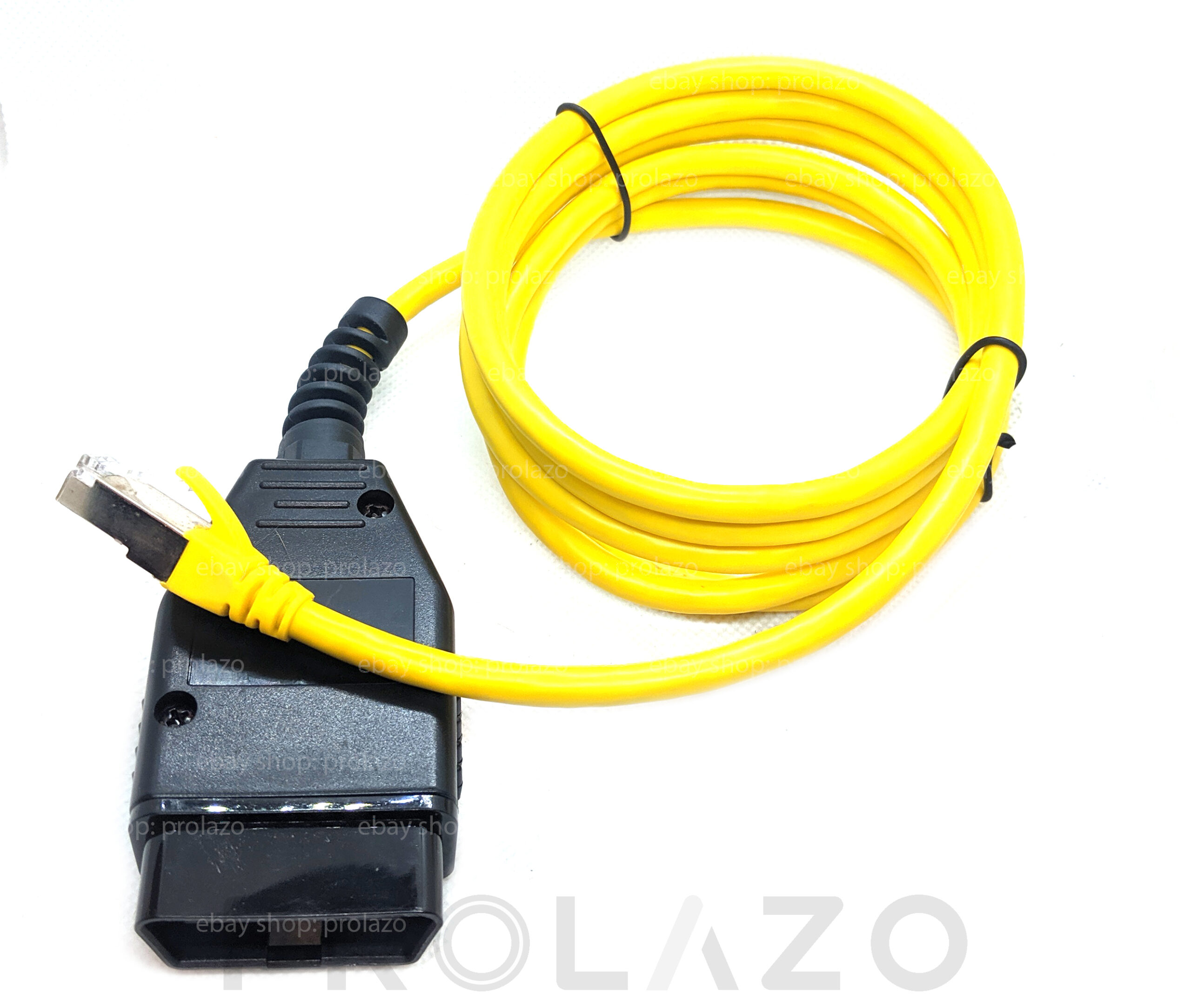
For the ENET method installation, you will need an ENET cable + Windows 10 / 11 laptop with an ethernet port (or ethernet <> USB dongle).
Follow the instructions included, use the license code received in the email.
You can buy ENET cable on eBay or Amazon, look for "BMW ENET cable", looks like this:
-
Hey what about me? I have other versions like WAY, etc.?
| If you have “Road Map Way” maps it means you have ENTRYNAV2 headunit (not NBTevo). If you have a car from Asian market you can use this tool to check axact NBTEVO_Xxxx version. To check if Carplay can be installed on your headunit, download the tool:
Click to Download Prolazo Headunit tool 1. Unzip the archive using 7zip: 2. Disable firewall and antivirus (no worries, no virus or malware is in the program) 3. Connect your Windows laptop to the car with ENET cable and run the HU scanner tool 4. Click “Quick SCAN” and wait for the results 5. Copy the results and send it to info@prolazo.com |
 |
-
4. 100% Warranty Safe & Fully Reversible
Yes. This product backups data from your iDrive so it can be restored at any time (more info on the instructions). Contact us if you have any trouble.
-
5. Optional Upgrades: ID6 Skin & Video in Motion:
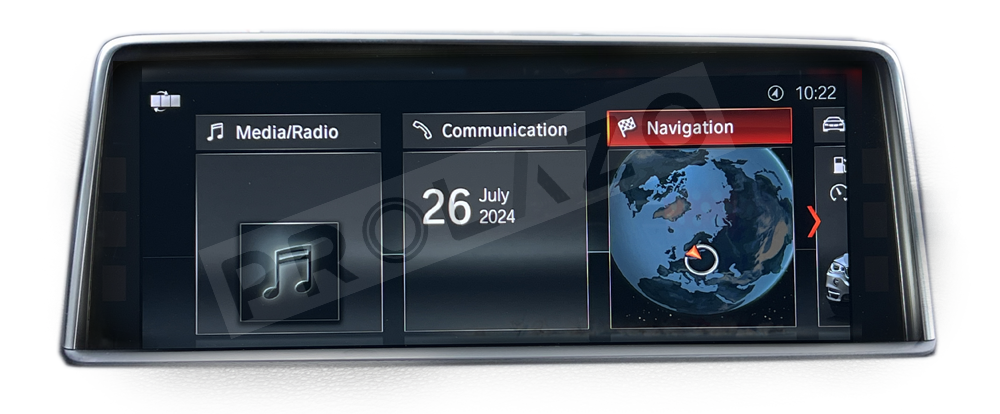
1. ID6 menu skin
This makes your headunit menu ID6 (if you have ID5 now), here is how ID6 menu looks like
 -
-2. Map data (for map update)
You will receive a map key + map data to update maps
-
3. Video in motion
This allows you to play mp4 video files from your USB stick while driving. Also works on Android screenmirroring
 -
-3. Android Screen-mirroring
please check here how screen-mirroring works:
-
DISCLAIMER. You will get a digital file, no physical shipping. This shop is not affiliated with BMW AG in any way,
and is not authorized by BMW AG to act as an official distributor or representative. Despite that, we have more than 10 years of experience in BMW electronics and software, so we can offer products that are not available at your local dealer.
-
